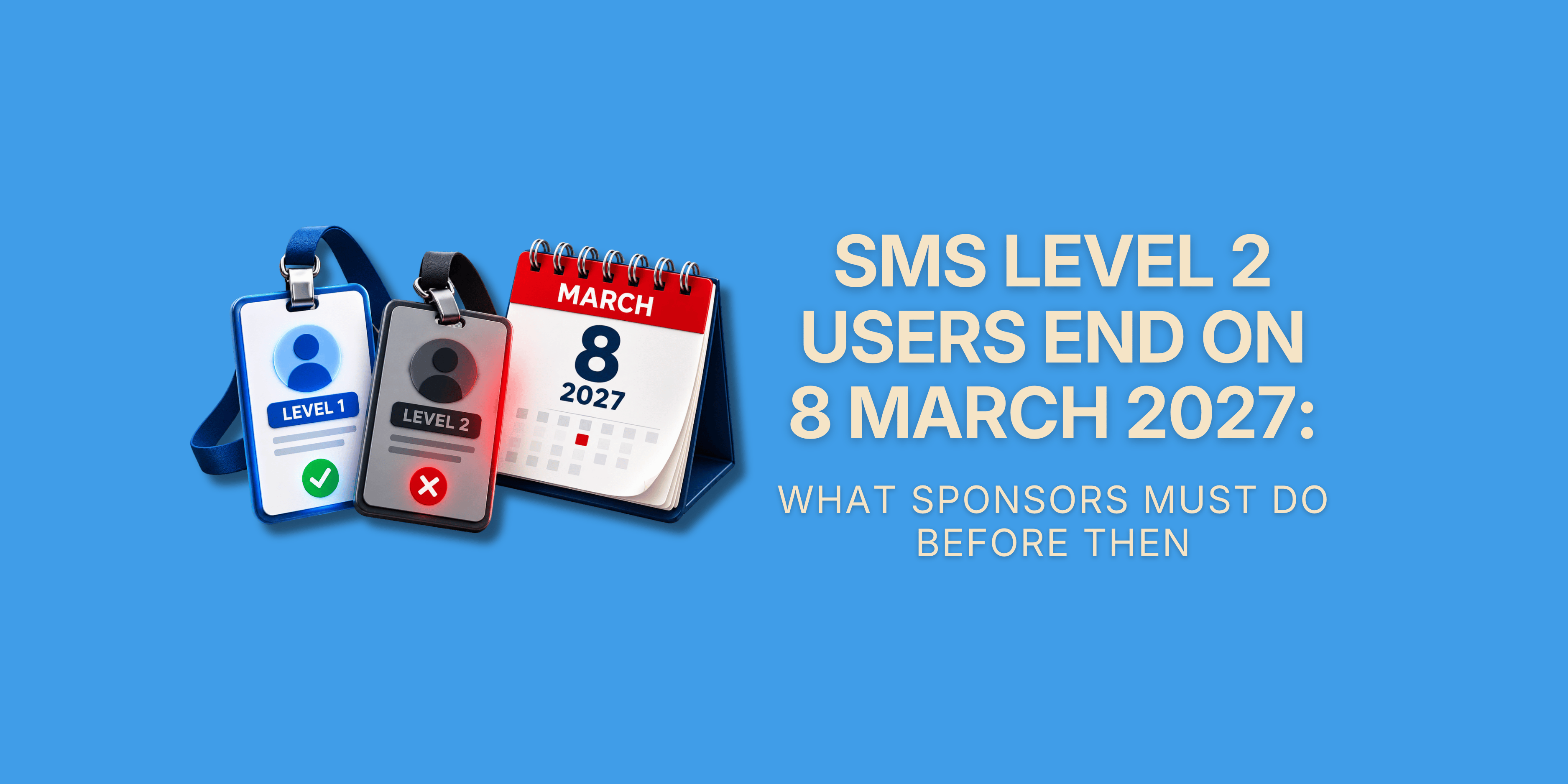
SMS Level 2 Users End on 8 March 2027: What Sponsors Must Do Before Then
Published 7 October 2026
Key Takeaways
- Every SMS Level 2 User must be converted to Level 1 or deactivated by 8 March 2027. Paragraph L4.59 of Part 1 of the sponsor guidance (version 08/26) sets the deadline, and the Home Office will deactivate any Level 2 account still open after that date. No new Level 2 User has been allowed on any licence since 9 September 2026.
- There is no convert button in the Sponsor Management System (SMS). SMS Manual 1, updated on 5 October 2026, tells you to add the person as a Level 1 User and deactivate their Level 2 account. A Level 1 User does that with the Request level 1 user and Deactivate user functions, and must not use Amend user to change someone's level.
- A Level 1 request is not always instant, so do not leave it until March. Under paragraphs C2.9 to C2.13 of Part 3 of the sponsor guidance, a new Level 1 User is added automatically only if your licence is fully active, A-rated and the user's address postcode matches your main or head office (or your representative's). Every other request waits for a UKVI caseworker.
- Agency staff cannot be converted at all. Paragraphs L4.21 and L4.65 say a temporary worker supplied by an employment business is not eligible to become a Level 1 User, and since 9 September 2026 agency staff cannot hold any Key Personnel role. Their SMS work needs a permanent owner before the account goes.
- Employees, outsourced HR staff and UK-based representatives can be converted if they qualify. They must be based in the UK, hold a National Insurance number unless exempt, not be a contractor or consultant, and pass the Home Office suitability checks. Outsourced and representative users can only ever be additional Level 1 Users, never your only one.
- Conversion hands over the whole licence, not a few extra screens. A Level 1 User can request more Certificates of Sponsorship (CoS), apply for Defined CoS, add and remove users, change your organisation's details, replace Key Personnel and report on any sponsored worker (paragraph L4.43 of Part 1 and C2.4 of Part 3).
- The Authorising Officer answers for every SMS user and must have a system to check them. Paragraphs L4.35 and L4.37 make the Authorising Officer responsible for all SMS activity, and the guidance recommends a check of the CoS assigned at least once a month. Convert only the people who need full access.
- Work to Friday 5 March 2027, not Monday 8 March. The guidance says act "by no later than 8 March 2027", while Manual 1 says Level 2 Users lose access "from 8 March 2027". The two differ by a day, and a deactivated account cannot be reinstated.
- Doing nothing does not cost you the licence by itself, but it can stop your sponsorship work. The stated consequence is deactivation. The real risk follows: nobody able to assign a CoS or to report a change within 10 working days, and revocation if you are left with no eligible Level 1 User.
- WPC HR's sponsor licence compliance audit checks your SMS users and Key Personnel before the deadline. Our sponsor licence compliance audit reviews who holds SMS access and whether they are eligible, and our HR compliance software keeps your sponsor records and reporting deadlines in one place for whoever takes over the work.
Introduction
The Level 2 User is being removed from the Sponsor Management System. Since 9 September 2026 you have not been able to appoint a new one. By 8 March 2027 every Level 2 User still on your licence must have been converted to a Level 1 User or had their account deactivated, and after that date the Home Office will deactivate whatever is left.
For many sponsors this is a bigger change than it sounds. The Level 2 role was the safe way to let an HR officer, a branch manager, an agency temp or an outside adviser assign a Certificate of Sponsorship and report on their own workers without giving them the keys to the licence. That middle tier is going. From March 2027 a person either has full Level 1 access or has none.
This guide is for the Authorising Officer, the HR lead and the existing Level 1 Users who have to make that call for each person. It covers what a Level 2 User could do, the two dates, who can and cannot be converted, the steps in SMS, a convert, deactivate or replace decision for each type of user, what changes once someone has full access, and what happens on 9 March 2027 if nothing is done.
What is confirmed and what is not. Everything in this post about the phase-out is published Home Office guidance in force today, checked on 7 October 2026: Part 1 and Part 3 of the sponsor guidance (both version 08/26, published 28 August 2026) and SMS Manual 1 (updated 5 October 2026). None of it is a proposal or a consultation. One point is a stated intention only, a future tightening of the rule on who can be your main Level 1 User, and we flag it where it comes up. Where we suggest a timetable or a control, that is our practical advice and we say so.
What a Level 2 User Could Do, and Why the Role Is Ending
A Level 2 User is an optional SMS user with a narrow set of permissions. Paragraph L4.60 of Part 1 limits them to two things: creating and assigning CoS, and reporting worker activity on CoS they personally created and assigned or that a Level 1 User transferred to them. Manual 1 adds that they cannot open the Licence summary, applications and services menu, cannot use the Defined CoS sub-menu and never see the Home Office message board. Our practical guide to the Sponsor Management System explains the menus in full.
| Function in SMS | Level 1 User | Level 2 User |
|---|---|---|
| Create and assign CoS | Yes | Yes |
| Report worker activity | Yes, on any sponsored worker | Only on CoS they created and assigned, or that were transferred to them |
| View and search CoS | All CoS on the licence | Only CoS they own |
| Licence summary, applications and services menu | Yes | No |
| Request or renew a CoS allocation | Yes | No |
| Apply for and assign Defined CoS (Skilled Worker) | Yes | No |
| Add, amend and deactivate SMS users | Yes | No |
| Change organisation details or Key Personnel | Yes | No |
| Read the Home Office message board | Yes, shown at every login | No |
| Correct their own user details | Yes | No, a Level 1 User must do it |
| One-time passcode for multi-factor authentication | By text message, or by email if no mobile number is held | By email only |
The Home Office has not published a reason for abolishing the role. The timing tells its own story, though. The same 28 August 2026 guidance brought in mandatory multi-factor authentication, a ban on agency staff holding any Key Personnel role, and a process for closing accounts nobody has used for 12 months. Taken together, these changes point to fewer SMS accounts, each tied to one named, checked and accountable person. That is our reading, and the guidance does not say it in terms.
The Two Dates: 9 September 2026 and 8 March 2027
There are two dates in the guidance, and four dates on which the published position was set out or changed.
| Date | What happened or happens | Source |
|---|---|---|
| 28 August 2026 | Version 08/26 of the sponsor guidance is published with new paragraphs on phasing out Level 2 Users | Part 1, L4.58, L4.59 and L4.65 |
| 9 September 2026 | No new Level 2 User can be appointed. Workers supplied by an employment business can no longer be appointed to any Key Personnel role | Part 1, L4.14 and L4.58 |
| 11 September 2026 | SMS Manual 1 is updated to say Level 2 Users can no longer be appointed | Manual 1 update history |
| 5 October 2026 | SMS Manual 1 is updated to say Level 2 Users lose access after 8 March 2027 and must be upgraded to Level 1 or be deactivated | Manual 1 update history |
| Monday 8 March 2027 | Last date for a Level 1 User to convert or deactivate every Level 2 User | Part 1, L4.59 |
| After 8 March 2027 | The Home Office deactivates any Level 2 account that is still open, including every agency staff account | Part 1, L4.59 and L4.65 |
Until the deadline, an existing Level 2 User carries on as before. They can still assign CoS and report on their own workers, and they log in with a one-time passcode sent by email once multi-factor authentication is switched on for your licence.
Is the Last Day 7 March or 8 March?
The two official sources do not quite agree. Paragraph L4.59 says you must act "by no later than 8 March 2027" and that the Home Office will deactivate remaining accounts "after that date". Manual 1 says that "from 8 March 2027" Level 2 Users will no longer be able to access SMS, while the update note on the same page says "after 8 March 2027".
On the guidance, 8 March is the last day you can act. On the body of the manual, access could stop on 8 March itself. The gap is one day, and it falls on a Monday. Our advice is to treat Friday 5 March 2027 as your last working day and to have every conversion approved well before then.
What the 5 October 2026 Update to SMS Manual 1 Changed
The 11 September 2026 update told sponsors that Level 2 Users could no longer be appointed. The 5 October 2026 update is the one that matters for planning. According to the page's own update history, it was made to clarify that Level 2 Users lose access after 8 March 2027 and must be upgraded or be deactivated. The manual now carries the practical instruction that the guidance does not: if a Level 2 User needs to keep access, you must add them as a Level 1 User and deactivate the Level 2 account.
One thing to save you time. Manual 1 points readers to SMS Manual 13 on multi-factor authentication for more on this. We read Manual 13 in full on 7 October 2026 (last updated 2 October 2026) and it contains no conversion steps. The steps you need are Guides 3 and 4 of Manual 1.
Who Can Be Converted to Level 1, and Who Cannot
Paragraph L4.58 lets you convert a Level 2 User only "if they meet the requirements for Level 1 Users". Those requirements are stricter than the Level 2 ones, and the difference decides who can move up.
| Type of Level 2 User | Can they be converted? | Condition | Paragraph |
|---|---|---|---|
| Paid member of staff or office holder in your organisation | Yes | Must meet the general Key Personnel and suitability requirements | L4.49 |
| Employee of an organisation you engage to deliver all or part of your HR function | Yes | As an additional Level 1 User only. They cannot be your primary or only Level 1 User | L4.20, L4.49 |
| UK-based representative | Yes | As an additional Level 1 User only, once appointed as your representative. Must be based in the UK | L4.16, L4.18, L4.19 |
| Authorising Officer or Key Contact who was given Level 2 access | Yes | They get SMS access only by also being a Level 1 User | L4.36, L4.42 |
| Temporary staff member supplied by an employment business | No | Not eligible. You must deactivate the account by 8 March 2027 | L4.21, L4.65 |
| Contractor or consultant engaged for a specific purpose | No | Cannot hold any Key Personnel role | L4.8, L4.14 |
| Anyone based outside the UK | No | Key Personnel must be based in the UK while they fill the role | L4.8 |
The Requirements Every Level 1 User Must Meet
Paragraph L4.8 sets the general requirements for all Key Personnel. The person must be based in the UK for as long as they fill the role, have a valid National Insurance number unless they are exempt, be from within your organisation unless an exception applies, not be a contractor or consultant engaged for a specific purpose, and, as an SMS user, access their account regularly and keep their details up to date.
They must also be suitable. Under paragraph L4.25 the Home Office will refuse or revoke where a person has an unspent conviction for an offence listed in Annex L4, has been issued with certain civil penalties, or is legally barred from being a company director. Paragraph L4.26 adds grounds on which it will normally do so, including having been Key Personnel at a sponsor whose licence was revoked in the last 12 months. The Home Office checks every nominated person against its own records and the Police National Computer (L4.23), and can repeat those checks at any time.
Ask the question before you submit the request, not after. A Level 2 User was added without any Home Office assessment. A Level 1 request can be refused, and under paragraph C2.12 of Part 3 the Home Office will contact you if it has concerns and may ask you to nominate someone else.
Agency Staff Cannot Be Converted
This is the hard stop in the new rules. Paragraph L4.65 says staff members supplied by an employment business, and not employed by you, are not eligible to be converted into Level 1 Users. Paragraph L4.21 tells you to deactivate their accounts by 8 March 2027, and L4.14 confirms that since 9 September 2026 you cannot appoint agency-supplied workers to any Key Personnel role.
If a temp or an interim has been assigning your CoS or filing your reports, that work needs a permanent home. The answer is not to share a login with them: under Annex C3(f) of Part 3 the Home Office may revoke a licence where an SMS user discloses their password or one-time passcode to another person. This pattern is common in care, where agency administrators often cover sponsorship tasks, and our care sector sponsor licence compliance guide covers the wider staffing pressures.
Outsourced HR Providers and Representatives
An employee of an outsourced HR provider, or a UK-based representative such as a regulated immigration adviser, can be converted. Both come with a limit. They can only be additional Level 1 Users. Your primary Level 1 User must come from inside your organisation, and paragraph L4.18 says that if you have only one Level 1 User, that person must not be a representative.
Think about what you are agreeing to. Paragraph L4.15 makes you responsible for anything done by anyone you set up as an SMS user, including people from outside your organisation, and the Home Office will treat their actions as yours. An outside adviser who was safely fenced in as a Level 2 User will, as a Level 1 User, be able to do everything your own HR lead can.
Keeping an Eligible Primary Level 1 User
While you review the list, check the user you cannot do without. Paragraph L4.45 requires at least one Level 1 User who is an employee, director or partner of your organisation and a settled worker, unless an exception applies. Sponsors who applied successfully before 1 January 2025 and have held a licence continuously since can meet those two conditions through two different people (L4.54 and L4.55).
Paragraph L4.56 says the Home Office will "likely" require every sponsor in future to have one Level 1 User who meets both conditions alone. That is a stated intention, not a rule in force, and no date has been given. If you are converting people anyway, it makes sense to make sure one of your Level 1 Users already satisfies it.
How to Convert a Level 2 User in SMS, Step by Step
There is no single convert function. Manual 1 describes conversion as two separate actions: request a new Level 1 User, then deactivate the Level 2 account. It also warns that you must not use Amend user to add a new user, and that a request made that way will be rejected. Only an existing Level 1 User can do any of this. A Level 2 User cannot convert themselves.
| Step | What the Level 1 User does | What to know |
|---|---|---|
| 1 | Log in to SMS and select Licence summary, applications and services | Always reach SMS through the GOV.UK sponsorship management system page, never from a link in an email |
| 2 | Select Manage Level 1 and 2 users | This screen lists every user, their user ID and their status. Use it as your audit list |
| 3 | Select Request level 1 user | The Create level 2 user option has not worked since 9 September 2026 |
| 4 | Enter the person's details and select Add | The email address must belong to the individual, not a shared mailbox. The address is their work address, not their home address |
| 5 | Note the new user ID shown on screen and select OK | The person gets a new user ID. Pass it to them. The request goes to the Home Office for assessment |
| 6 | Check the Status field on the Manage Level 1 and 2 users screen | Requested means under consideration. Active means approved, and the password is emailed to the new user. Refused means the Home Office will write to your Authorising Officer with the reason |
| 7 | Ask the new Level 1 User to log in, change their password and complete the passcode step | A Level 1 User needs the correct date of birth on record, plus a mobile number (or an email address if no mobile is held) |
| 8 | Go back to Manage Level 1 and 2 users, select the old Level 2 user ID, select Deactivate user and confirm | Do this only after the Level 1 account is Active and tested |
| 9 | Check the old account now shows as deactivated | A deactivated account cannot be reinstated |
We have not repeated the login screens, the passcode rules or the lockout periods here. Our guide to Sponsor Management System multi-factor authentication covers them, including how to correct a wrong date of birth before it locks someone out.
If your licence is on the UK Expansion Worker route with a provisional rating, these functions are not available to you. Manual 1 directs provisional-rated sponsors to Guide 4 of SMS Manual 2, and paragraph L4.57 says you can only add Level 1 Users once you hold an A-rating.
How Long Approval Takes
This is where sponsors get caught. Paragraph C2.9 of Part 3 says a request to add a new Level 1 User updates automatically once reported, but only if you meet all three conditions in C2.10: your licence is fully active, it is A-rated, and the postcode of the address given for the new user matches your main organisation or head office address (or your representative's postcode, if the user is your representative). Even then, the Home Office still runs its standard checks on the person (C2.12).
If you miss any one of those conditions, paragraph C2.13 says a UKVI caseworker considers the request before anything changes on your account. A B-rated sponsor, a user based at a branch with a different postcode, or an outsourced HR provider's employee at the provider's own address will all go to a caseworker. The guidance gives no standard timescale for that.
There is a paid route. The priority change of circumstances service accepts requests to add a new Level 1 User from A-rated, fully active sponsors. The fee is £350 per request, unchanged in the Home Office fees table that takes effect on 8 October 2026, and eligible requests are considered within 5 working days of payment. The service takes a limited number of requests each day and does not guarantee approval. Adding a Level 1 User through the standard route carries no fee.
Before You Deactivate the Old Account
The guidance does not say what happens to CoS that a Level 2 User owns when their account is deactivated. Two things are clear from the manuals. A Level 1 User can view and report on every CoS on the licence, so reporting does not stop. And SMS Manual 10 gives a transfer function, for single CoS and for batches, which it describes as useful when an existing user will no longer be using SMS.
Our advice is to tidy up first. List the CoS the Level 2 User owns, assign or withdraw anything left half-finished, transfer the rest to a continuing Level 1 User, and only then deactivate. Manual 1 does not describe the period when one person holds both accounts either, so test that the new Level 1 login works before you close the old one.
Convert, Deactivate or Replace: The Decision by Type of User
Do not convert everyone by default. Paragraph L4.50 recommends that you do not have more Level 1 Users than you really need, because the Authorising Officer is responsible for their conduct. Under L4.35 it is the Authorising Officer who decides how many people have SMS access and at what level, so this decision is theirs to sign off. Our post on the Authorising Officer role explains why that responsibility cannot be delegated.
| Type of Level 2 User | Decision | Why, and what to do |
|---|---|---|
| HR officer employed by you who assigns CoS and reports every month | Convert | They do the work and are eligible. Check the Level 1 requirements, record the Authorising Officer's approval, then request Level 1 |
| Employee who has not logged in for months, or whose job has changed | Deactivate | No need for access. Manual 1 says you must deactivate users who no longer occupy the role |
| Leaver still showing as active | Deactivate now | Do not wait for March. An open account for someone who has left is a security and compliance risk today |
| Agency temp or interim | Deactivate and replace | Cannot be converted. Move their CoS and reporting work to a permanent employee who becomes a Level 1 User |
| Employee of your outsourced HR provider | Convert, or deactivate | Convert only if the provider still runs sponsorship tasks for you and you accept full responsibility for what they do. Expect a caseworker review if their address postcode differs from yours |
| UK-based representative or immigration adviser | Convert, or deactivate | Convert as an additional Level 1 User if they act for you regularly. Otherwise remove the access and instruct them when needed |
| Authorising Officer or Key Contact with Level 2 access only | Convert | Level 1 access lets the Authorising Officer see what every user is doing, which supports the oversight duty |
| Branch, site or care home manager who reports on their own workers | Decide case by case | Convert the few who need it. For the rest, deactivate and set up an internal process for sites to notify central HR in time to meet the 10 working day reporting deadline |
| Contractor, consultant or anyone based overseas | Deactivate and replace | Not eligible for any Key Personnel role |
The branch manager row is where most multi-site sponsors will struggle. Level 2 access let a site report an absence or a change of duties directly. Remove it without a replacement process and the report still has to be made within 10 working days (paragraph C1.15 of Part 3), only now by someone at head office who may not know it happened.
What Changes When Someone Gains Full Level 1 Access
A converted user does not get a slightly bigger version of what they had. They get everything in paragraph L4.43 of Part 1 and paragraph C2.4 of Part 3. The table sets out what is new for them and the control we suggest alongside each power. The controls are our advice, not Home Office requirements, except where a paragraph is cited.
| New power for a converted user | Why it matters | Suggested control |
|---|---|---|
| Assign CoS and report on any worker, not only their own | They can act on workers and sites they know nothing about | Written rule on who assigns and who reports for each team or site |
| Request a CoS allocation increase and apply for Defined CoS | Requests are assessed by the Home Office and reflect on the whole licence | Authorising Officer approval before any allocation request is submitted |
| Request new Level 1 Users and deactivate other users | One user can lock a colleague out or widen access | Authorising Officer signs off every user change, recorded with the date |
| Change organisation details, replace the Authorising Officer or Key Contact, and start a licence surrender | These are the most serious changes that can be made to a licence | Reserve to one or two named users. Replacing Key Personnel also needs a signed submission sheet (C2.11) |
| Withdraw CoS | A withdrawn CoS cannot be used for a visa application | Second-person check before withdrawal |
| See the Home Office message board at login | Level 1 Users must read these messages before using SMS | One named user records each message and what was done about it |
Authorising Officer Oversight
Paragraph L4.37 says the Authorising Officer is responsible for the activities of all SMS users, "so you must have a system in place to check these activities", and recommends a check of the CoS assigned at least once a month. With Level 2 gone, every user that check covers has full powers, so the check has to look at more than CoS: users added and removed, allocation requests, changes to licence details and reports submitted.
Two rules in Part 3 belong in every new Level 1 User's briefing. Section C1 says you must not allow an SMS user to assign their own CoS, or a CoS to a close relative or partner of theirs, and you must add a sponsor note if you know a user has assigned one to a close relative or partner of anyone else in your organisation. And paragraph L10.6 of Part 1 says SMS users must not give their password or passcode to anyone else. Our sister firm WorkPermitCloud explains the risk in its guide to SMS and Key Personnel rules for UK sponsors.
If the Authorising Officer does not have SMS access, they cannot see any of this directly. Paragraph L4.36 lets them be appointed as a Level 1 User, and for most small and mid-sized sponsors that is the simplest way to make the oversight real. Everything that goes wrong on SMS is treated as the sponsor's act, which is why SMS governance sits inside the wider sponsor duties compliance checklist.
What Changes for the User at Login
A Level 2 User receives their passcode by email. A Level 1 User receives it by text message where a valid mobile number is held, and must enter their date of birth the first time. Paragraph L4.84 requires you to keep a current email address for every SMS user and a current mobile number and correct date of birth for every Level 1 User. Get those three details right when you make the request. The multi-factor authentication guide explains what happens if they are wrong.
Enough Level 1 Users to Cover Absence
Keeping numbers down has a limit. Paragraph L4.50 also says you should have at least enough eligible Level 1 Users to cover periods of absence, and L10.4 recommends that a Level 1 User accesses the account at least once a month. A sponsor that deactivates three Level 2 Users and is left with a single Level 1 User has swapped one risk for another. For most sponsors the right number is two or three, each of them trained, each logging in regularly.
What Happens on 9 March 2027 If Nothing Is Done
Paragraph L4.59 states the consequence in one sentence: after 8 March 2027 the Home Office will deactivate the accounts of any Level 2 Users you still have. The person will not be able to log in. Manual 1 is clear that a deactivated account cannot be reinstated, so the only way back for an eligible person is a fresh Level 1 request.
The guidance attaches no further sanction to missing the date. Your licence is not suspended or downgraded because a Level 2 account was closed for you. What hurts is what the closure exposes:
- CoS assignment stops. If the people who actually created and assigned your CoS were Level 2 Users, nobody may be left who knows the process or has a working login. Our Certificate of Sponsorship guide sets out what the replacement user will need to get right.
- Reports go late. The duty to report a change within 10 working days does not pause while you wait for a Level 1 request to be approved.
- A hidden single point of failure appears. Many sponsors have one named Level 1 User who rarely logs in and several Level 2 Users who do the work. If that Level 1 User has left or cannot get in, you have no SMS access at all. Paragraph C2.15 of Part 3 then requires a sponsor change of circumstances form to add a Level 1 User, and Annex C2(k) lists having no Level 1 User in place among the circumstances in which the Home Office will normally revoke.
These are the gaps a compliance officer finds at a visit, and our guides to preparing for a Home Office compliance visit and to sponsor licence suspension, downgrade and revocation explain where they lead.
This Is Not the Inactive Account Process
Do not confuse the phase-out with the separate rules on inactive accounts in paragraphs L4.72 to L4.79. That process applies to any user who has not logged in for 12 months, carries a 3 month window to act, and can end in suspension and a 28 day deadline if it leaves you with no active Level 1 User. It can run alongside the phase-out, and the Home Office will not contact inactive Level 2 Users directly (L4.75). The detail is in our multi-factor authentication guide.
Level 2 User Phase-Out Checklist
The dates in the third column are our suggested timetable, working back from the deadline. Only 8 March 2027 comes from the guidance.
| Action | Owner | Suggested date |
|---|---|---|
| Print or record the Manage Level 1 and 2 users screen: every user, level and status | Level 1 User | This week |
| Deactivate leavers and anyone who no longer needs access | Level 1 User | This week |
| Sort each Level 2 User by relationship: employee, agency, outsourced HR, representative, contractor | HR lead | By 30 October 2026 |
| Decide convert, deactivate or replace for each one and record the decision | Authorising Officer | By 13 November 2026 |
| Check each person to be converted against the Level 1 requirements, including UK base and National Insurance number | HR lead | Before each request |
| Confirm you still have a primary Level 1 User who is an employee, director or partner and a settled worker | Authorising Officer | By 13 November 2026 |
| Name a permanent replacement for every agency or contractor user and train them | HR lead | By 31 December 2026 |
| Submit every Request level 1 user and track the Status field | Level 1 User | By 29 January 2027 |
| New Level 1 Users log in, change password and confirm mobile number, email and date of birth | Each new user | Within a week of approval |
| Transfer or close out CoS owned by each Level 2 User, then deactivate the account | Level 1 User | By 26 February 2027 |
| Update the SMS access record, the internal reporting process for sites and the Authorising Officer's monthly check | Authorising Officer | By 26 February 2027 |
| Final check: no active Level 2 User remains | Level 1 User | Friday 5 March 2027 |
How Can WPC HR Help?
WPC HR is the HR-tech arm of WorkPermitCloud Ltd, providing HR compliance software and sponsor licence compliance audits for UK employers, and we help sponsors review their SMS users and Key Personnel before Level 2 access ends on 8 March 2027. Our sponsor licence compliance audit checks who holds SMS access on your licence, whether each person is eligible for Level 1, and whether your Authorising Officer has a working system to check what they do.
Our HR compliance software keeps your sponsored worker records, right to work checks and reporting deadlines in one place, so the person who takes over SMS work from a departing Level 2 User can see what needs reporting and by when. If you need help with the licence itself, our sister firm WorkPermitCloud provides a sponsor licence service.
| Get in touch with our team via our contact page. 📞 Call us: 020 8087 2343 📧 Email: info@workpermitcloud.co.uk 📅 Book a free compliance audit: wpchr.co.uk/sponsor-licence-compliance-audit 🔗 See the platform: wpchr.co.uk/hr-compliance-software-features |
Conclusion
The end of the Level 2 User is a small technical change with a large practical effect. From March 2027 there is one kind of SMS user, and that user can do everything. Every person on your Level 2 list either steps up to that, with the checks and the responsibility that come with it, or steps out.
The sponsors who will find this easy are the ones who decide early. List your users now, let the Authorising Officer make the call on each one, submit Level 1 requests before the end of January 2027 and close the old accounts by 5 March. The sponsors who will find it hard are those who discover on 9 March 2027 that the only people who knew how to assign a CoS can no longer log in.
Glossary
| Term | Definition |
|---|---|
| Sponsor Management System (SMS) | The Home Office online system a licensed sponsor uses to assign CoS, report on sponsored workers and manage its licence. |
| SMS User | A Level 1 User or a Level 2 User. The guidance uses the term for both. |
| Level 1 User | The Key Personnel role with full SMS access, responsible for day-to-day sponsorship activity. Every sponsor must have at least one throughout the life of the licence. |
| Level 2 User | An optional SMS user with restricted permissions, limited to assigning CoS and reporting on CoS they own. No new ones since 9 September 2026. The role ends on 8 March 2027. |
| Primary Level 1 User | The Level 1 User who must be an employee, director or partner of the sponsor and a settled worker, unless an exception or the transitional arrangement applies. |
| Key Personnel | The people named on a sponsor licence: the Authorising Officer, the Key Contact and the Level 1 User, plus any Level 2 Users. |
| Authorising Officer | The most senior person responsible for recruiting sponsored workers and meeting sponsor duties. Responsible for the activities of all SMS users. |
| Key Contact | The main point of contact between the sponsor and UKVI. Has no SMS access unless also appointed as a Level 1 User. |
| Certificate of Sponsorship (CoS) | The electronic record a sponsor assigns to a worker so that they can apply for a visa. |
| Defined CoS | A CoS for a Skilled Worker applying from outside the UK, which must be applied for individually through SMS. |
| Employment business | An agency that supplies temporary staff who work under the control of the hirer. Staff it supplies cannot be Level 1 Users. |
| UK-based representative | A person or firm appointed to act for a sponsor, who must be qualified to give immigration advice if they do so. |
| Settled worker | A term defined in section S1 of Part 2 of the sponsor guidance. It includes British and Irish citizens and people with indefinite leave to remain. |
| Multi-factor authentication (MFA) | The login step, mandatory on a phased basis from 3 September 2026, that requires a one-time passcode as well as a user ID and password. |
| One-time passcode (OTP) | The 6-digit code sent by text message or email to complete an SMS login. |
| Change of circumstances form | The GOV.UK form used when a change cannot be made in SMS, for example when no Level 1 User has access. |
| Priority change of circumstances service | A paid Home Office service, £350 per request, for faster consideration of certain SMS requests from A-rated sponsors. |
| A-rating | The standard rating for a compliant sponsor. A B-rated sponsor is working through an action plan. |
FAQ
Frequently asked questions
A Level 2 User is an optional user of the Sponsor Management System with restricted permissions. Under paragraph L4.60 of Part 1 of the sponsor guidance, they can create and assign Certificates of Sponsorship and report worker activity on CoS they personally created and assigned, or that a Level 1 User transferred to them. They cannot manage the licence, request CoS allocations, use Defined CoS functions or add other users.
The deadline is 8 March 2027. Paragraph L4.59 says a Level 1 User must convert or deactivate every Level 2 User by no later than that date, and the Home Office will deactivate any that remain afterwards. SMS Manual 1 says Level 2 Users will no longer be able to access the system from 8 March 2027, so plan to finish by Friday 5 March.
No. Since 9 September 2026 no sponsor has been able to appoint a new Level 2 User, and SMS Manual 1 confirms the Create level 2 user function cannot be used from that date. Anyone who needs new SMS access must be requested as a Level 1 User and must meet the Level 1 requirements.
An existing Level 1 User logs in, opens Licence summary, applications and services, selects Manage Level 1 and 2 users and then Request level 1 user, and enters the person's details. Once the status shows Active and the new login has been tested, the Level 1 User deactivates the old Level 2 account from the same screen. Do not use the Amend user function to change someone's level, because the Home Office will reject the request.
No. Paragraph L4.65 says staff supplied by an employment business, and not employed by you, are not eligible to be converted. You must deactivate their accounts by 8 March 2027, and the Home Office will do so after that date if you have not. Since 9 September 2026 agency-supplied workers cannot be appointed to any Key Personnel role.
Yes, as an additional Level 1 User only. Paragraph L4.49 allows an employee of an organisation engaged to deliver all or part of your HR function, or a UK-based representative, to be an additional Level 1 User after the licence is granted. Neither can be your primary or only Level 1 User, and you remain responsible for everything they do on SMS.
It depends on your licence. Under paragraphs C2.9 and C2.10 of Part 3, the request updates automatically if your licence is fully active and A-rated and the new user's address postcode matches your main or head office address, or your representative's. Otherwise a UKVI caseworker considers it and the guidance gives no standard timescale. A-rated sponsors can pay £350 for the priority change of circumstances service, which considers eligible requests within 5 working days of payment.
No fee is charged for requesting a Level 1 User or deactivating a Level 2 User through SMS. The only cost is optional: £350 per request if you choose the priority change of circumstances service. That fee is unchanged in the Home Office fees table that takes effect on 8 October 2026.
The guidance does not say that deactivating a user affects CoS they have already assigned, and a Level 1 User can view and report on every CoS on the licence. SMS Manual 10 provides a function to transfer ownership of single CoS or batches to another user, which it describes as useful when a user will no longer be using SMS. We recommend transferring or closing out a Level 2 User's CoS before deactivating the account.
The Home Office will deactivate every remaining Level 2 account, and those users will not be able to log in. A deactivated account cannot be reinstated, so an eligible person would need a new Level 1 request. Your reporting duties continue in the meantime, including the 10 working day deadline for most changes to a sponsored worker's circumstances.
Not for that reason alone. The guidance states deactivation as the consequence and attaches no other sanction. The licence is at risk only through what follows, such as late or missed reports, or having no eligible Level 1 User in place, which Annex C2(k) of Part 3 lists among the circumstances in which the Home Office will normally revoke.
Not every Level 1 User does. The requirement in paragraph L4.45 is that at least one of your Level 1 Users is an employee, director or partner of your organisation and a settled worker, unless an exception applies. Additional Level 1 Users must be a paid member of staff or office holder, an employee of your outsourced HR provider, or a UK-based representative.
The guidance leaves the number to you. Paragraph L4.50 recommends no more than you really need, because the Authorising Officer is responsible for their conduct, but enough to cover periods of absence. For most sponsors that means two or three trained users who each log in at least once a month.